iOS 27 Review: Siri AI, Supported iPhones and Should You Update Now?
Apple's biggest iPhone update in years, headlined by a rebuilt Siri. What you'll actually get on your iPhone — and whether to update today or wait.
By the Finance Arabia team6 min read
Since 14 September millions of iPhone owners have seen the "iOS 27 is available" notification, along with the usual question: update now or wait? This year it matters more than usual, because Apple is billing iOS 27 as its biggest update in years thanks to Siri AI, a completely rebuilt Siri. Here's what iOS 27 actually delivers, which iPhones get which features, how it works for users in the Gulf, and whether you should install it today.
Quick verdict
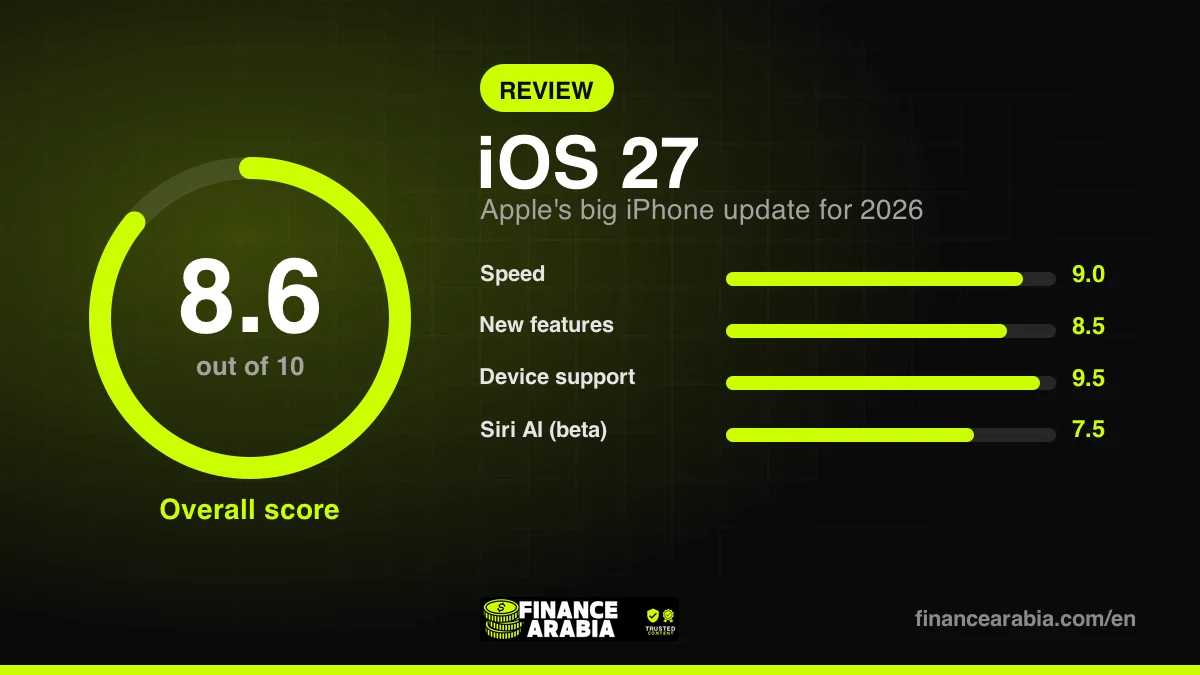
| Overall score | 8.6 / 10 |
|---|---|
| Best for | Every iPhone 11 owner and newer |
| Biggest strength | Faster, more stable, great parental controls |
| Biggest drawback | Best features need iPhone 15 Pro or later |
| Speed | 9.0 / 10 |
| New features | 8.5 / 10 |
| Device support | 9.5 / 10 |
| Siri AI (beta) | 7.5 / 10 |
Does your iPhone support iOS 27?
Good news: Apple didn't drop a single device this year. iOS 27 runs on everything that supported iOS 26 — iPhone 11 and later, plus the second-generation iPhone SE. Not every feature is available on every phone, though:
| Your iPhone | Gets iOS 27 | Apple Intelligence & Siri AI |
|---|---|---|
| iPhone 11 to iPhone 14, and SE | Yes | No |
| iPhone 15 and 15 Plus | Yes | No |
| iPhone 15 Pro and Pro Max | Yes | Yes |
| iPhone 16 and later | Yes | Yes |
| iPhone 18 Pro and Pro Max | Yes (pre-installed) | Yes |
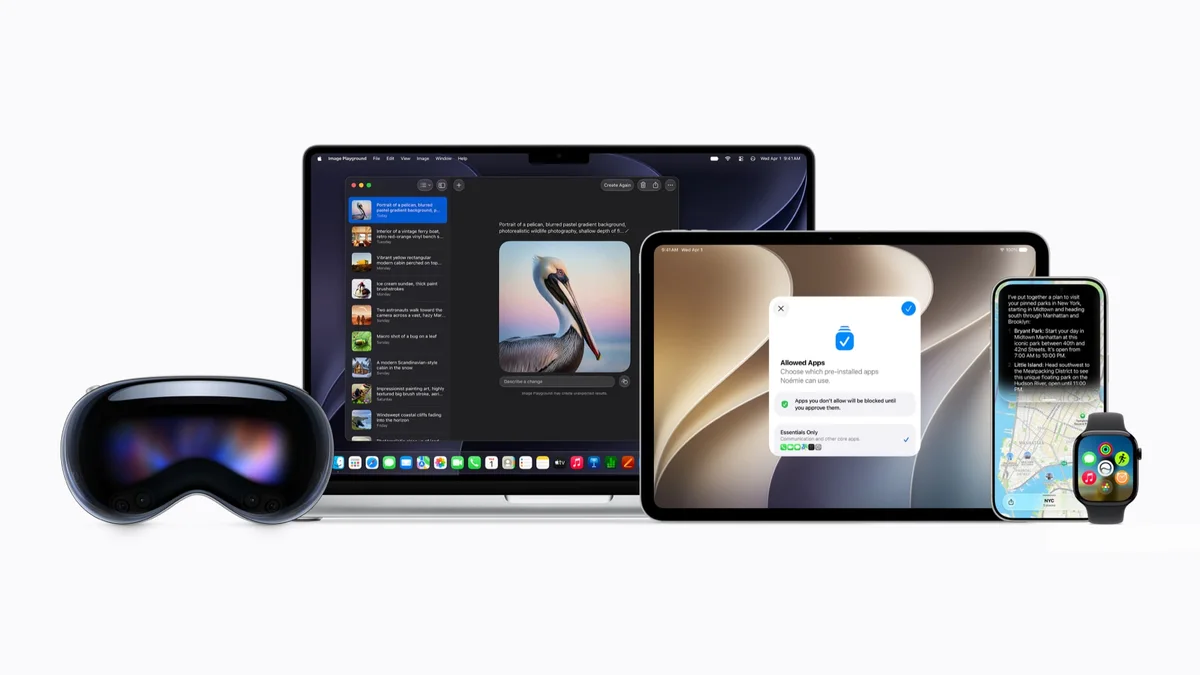
Siri AI: the headline feature
Siri AI isn't a tune-up of the old Siri — it's a new assistant. It understands your personal context: it can search your messages, email and photos to find what you need, understand what's on your screen and act on it, answer general questions from the web, and carry out tasks inside apps. There's also a new standalone Siri app that saves your conversations and syncs them across your devices.
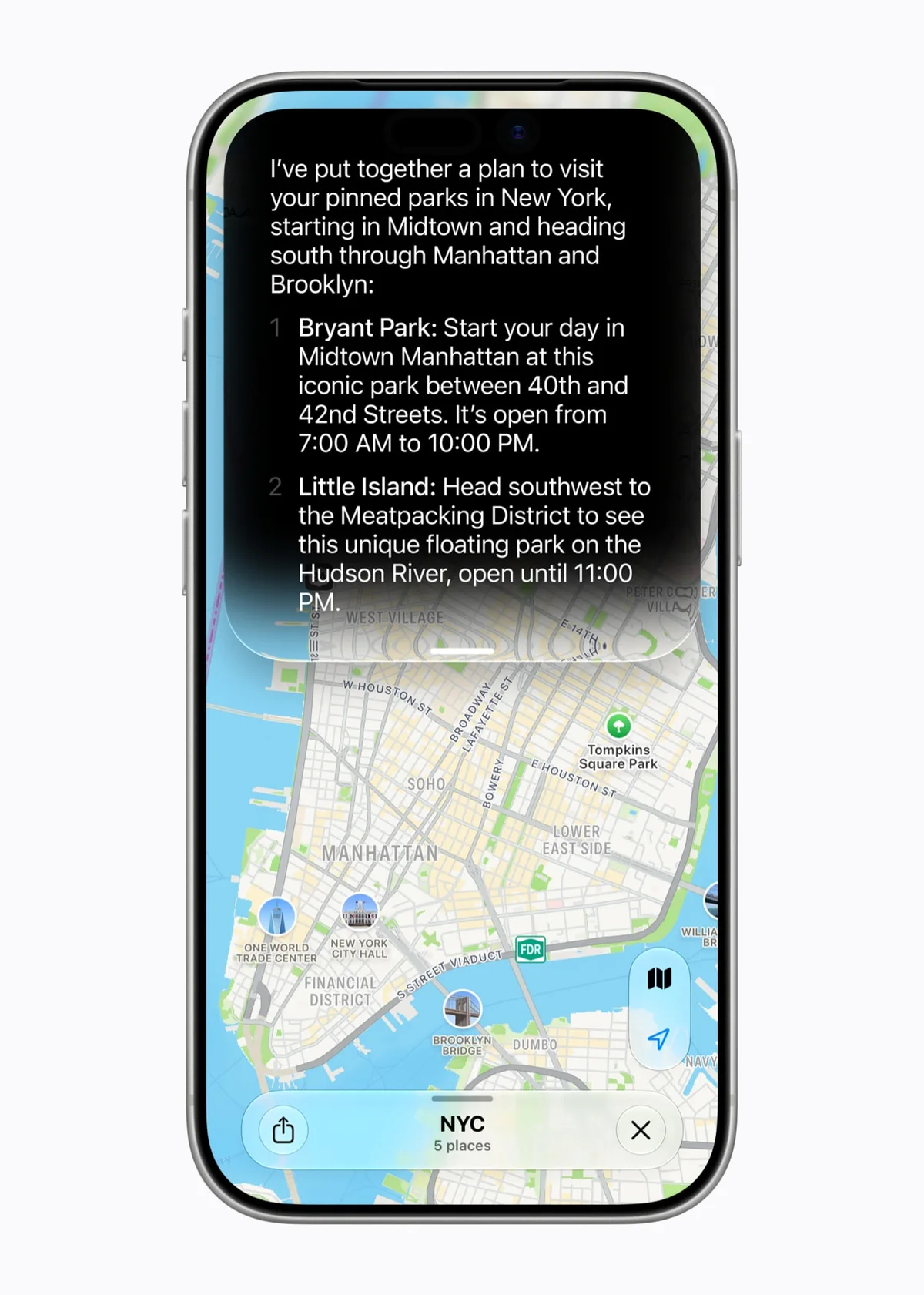
Apple launched Siri AI as a beta, in English only, with French, Japanese, Korean, Portuguese and Spanish due in October. Arabic isn't in either wave and has no announced date. Siri AI is also unavailable in the EU and China for now.
For English speakers in the UAE, Saudi Arabia and the rest of the Gulf, that's good news: with your iPhone and Siri set to English, you can use Siri AI today on a supported model. If you share a family iPhone set to Arabic, though, Siri AI won't appear.
| Feature | What it does | Needs |
|---|---|---|
| Siri AI | Conversational assistant that understands your context, searches your apps and answers from the web | iPhone 15 Pro or later, English |
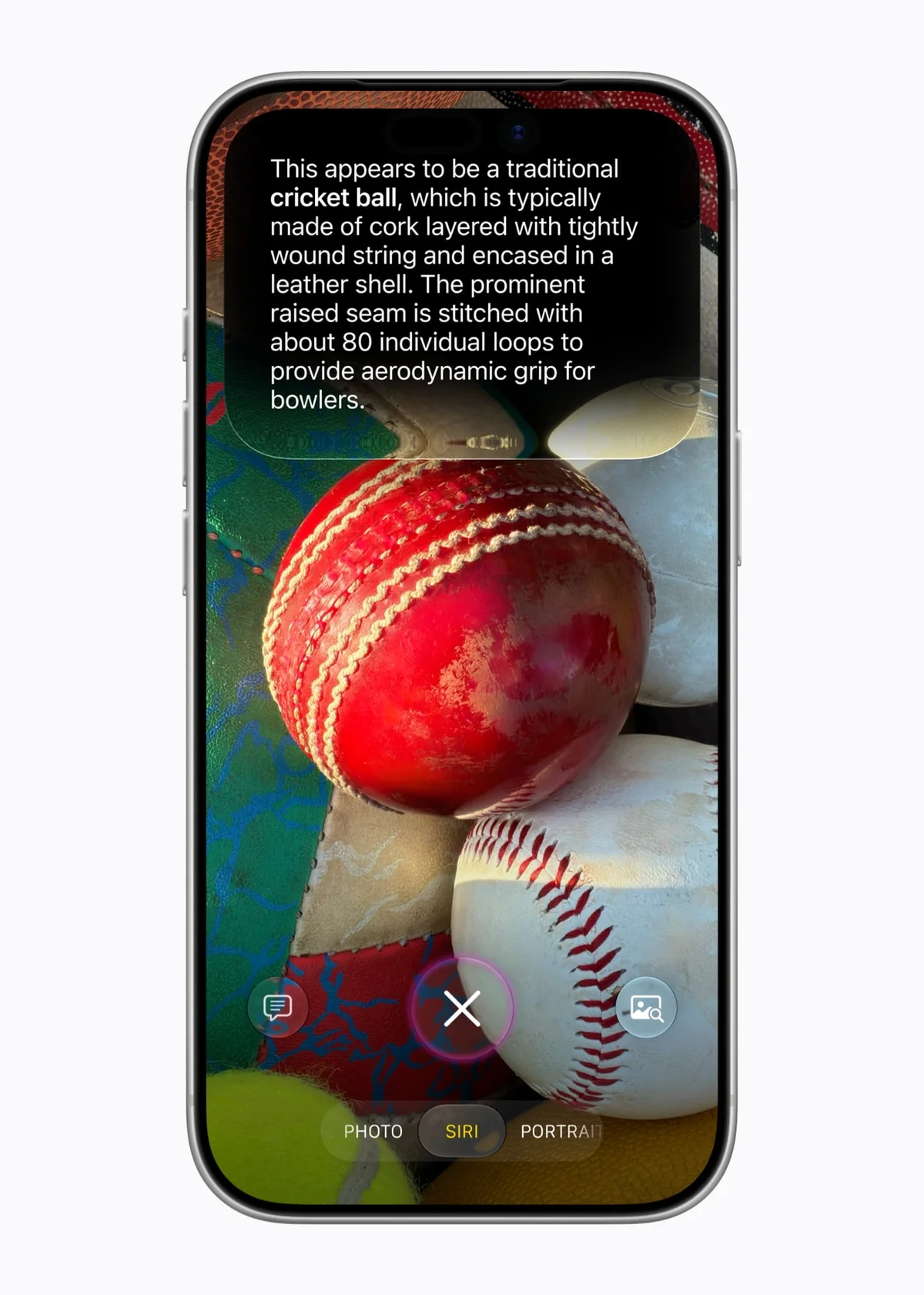
| Siri in Camera | Point the camera at something to ask about it or create an event from it | iPhone 15 Pro or later, English |
| Smart photo editing | Reframe a shot after you take it, extend it, remove objects | Apple Intelligence devices |
| Image Playground | Create images in a realistic style | Apple Intelligence devices |
| "Notify me" in Safari | Watches a web page and alerts you when a price drops or an item is back in stock | Apple Intelligence devices |
| New parental controls | Child accounts and daily usage limits | All supported iPhones |
| Speed improvements | Faster app launches and file transfers | All supported iPhones |
What everyone gets
AI aside, this is an update focused on speed and stability — which is what most people actually care about. According to Apple:
- Apps open up to 30% faster on iPhone and iPad.
- Photos appear up to 70% faster after you take them.
- AirDrop transfers are up to 80% faster.
- Smoother switching between mobile data and Wi-Fi.
- Rebuilt search in Spotlight, Photos and Mail that's faster and more reliable.
- More options to customise last year's Liquid Glass look, such as controlling transparency.
For parents: Apple's strongest parental controls yet
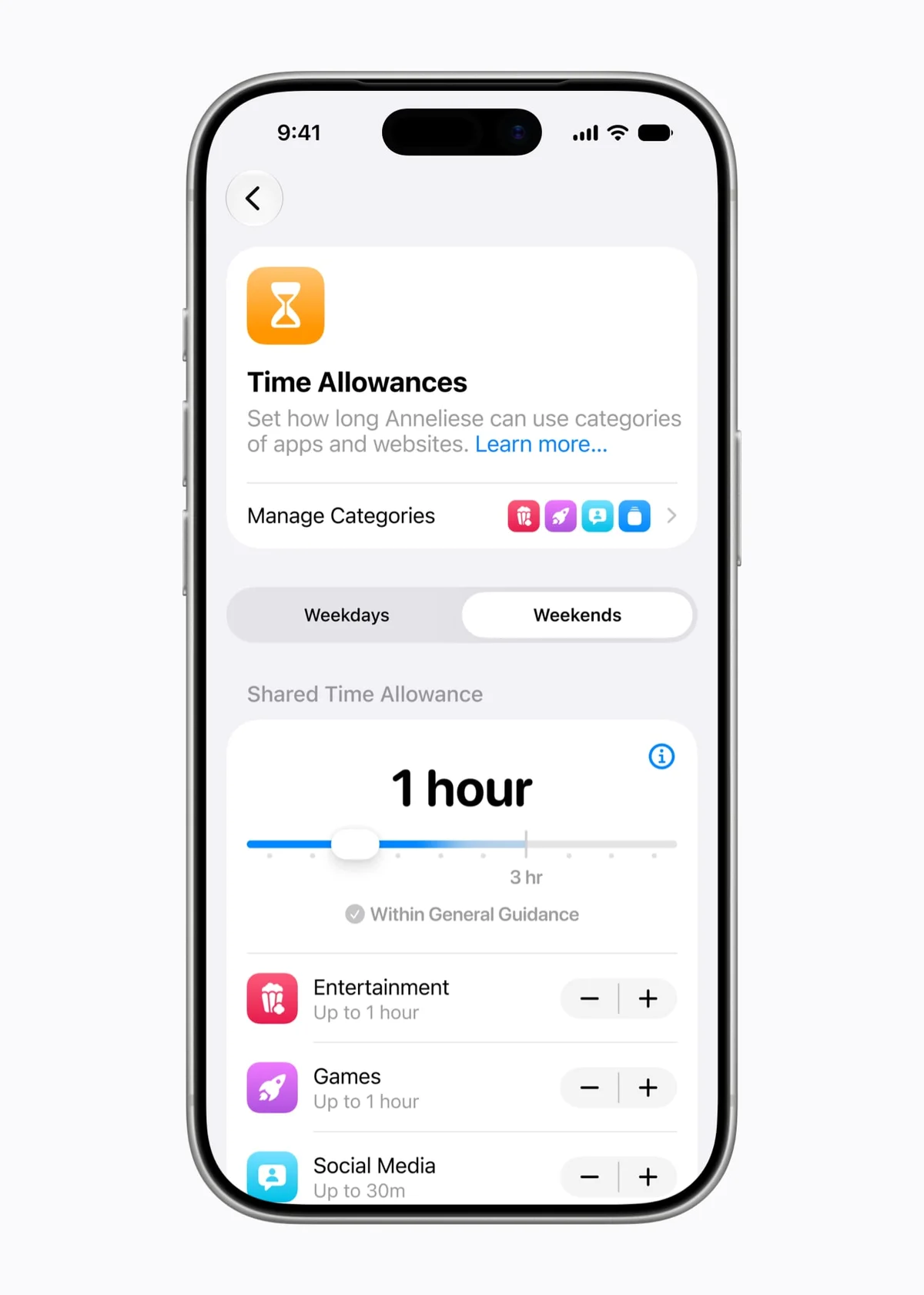
If your children have an iPhone or iPad, this is one of the best reasons to update. You can now create a child account that switches on age-appropriate protection automatically, choose exactly which apps are allowed, require your approval for every new contact, and ask for permission before any new website opens in Safari.
Apple also added daily limits by app category — entertainment, games and social media — with suggested times based on expert guidance, plus schedules for what's allowed during school hours or before bed.
Other features worth knowing
- iPhone Handoff with the same number: if you own two iPhones, you can switch between them using one phone number with supporting carriers.
- One-tap suggestions in Messages: such as creating a reminder or note from a conversation.
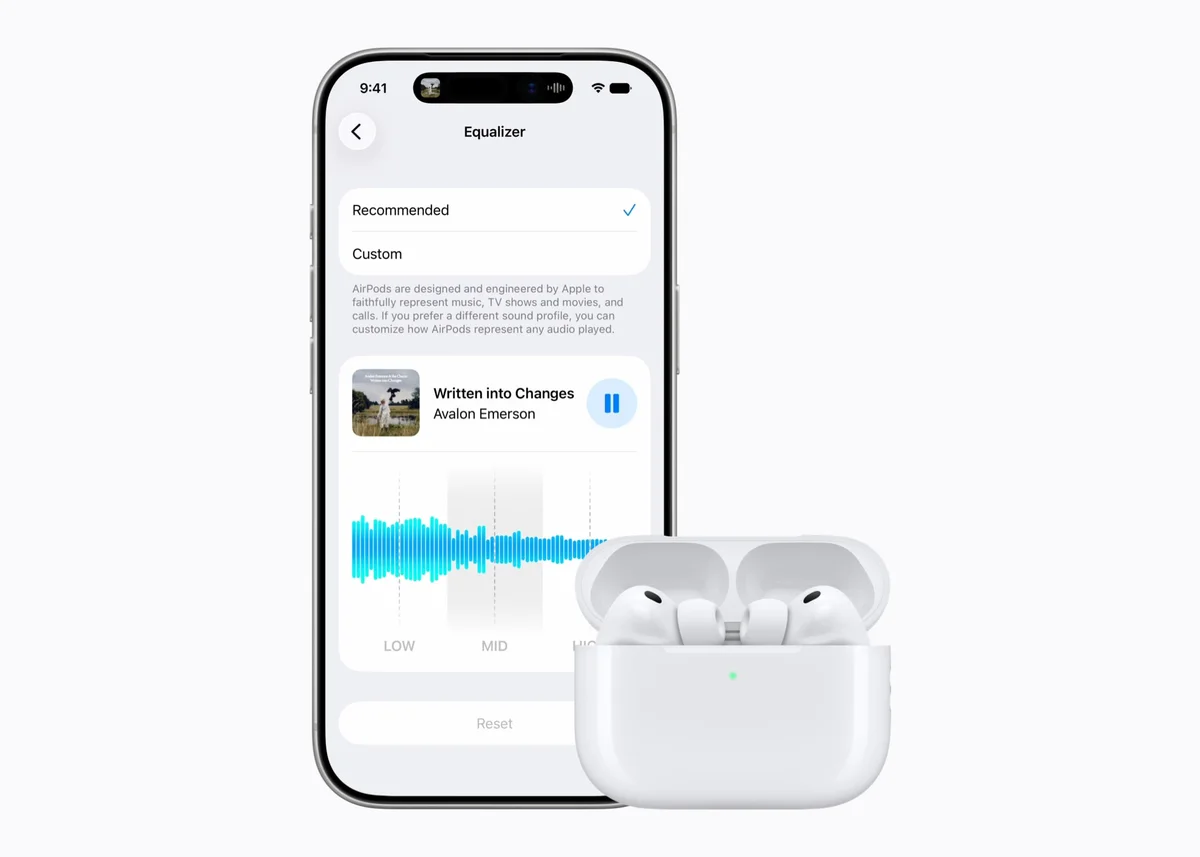
- Personalised AirPods sound: a custom equaliser for supported AirPods.
Pros and cons
| Pros | Cons |
|---|---|
| Supports every iPhone from the 11 onwards | Siri AI is still a beta |
| Clear gains in speed and stability | AI features need an iPhone 15 Pro or newer |
| Powerful, easy parental controls | Siri AI only in a handful of languages so far |
| Smart photo editing and a standalone Siri app | Not available in the EU or China |
Should you update now?
| Your situation | Our advice |
|---|---|
| iPhone 15 Pro or newer, used in English | Update now — you get Siri AI today |
| Older iPhone (11–15) that works well | The speed gains are worth it, but waiting for 27.1 avoids early bugs |
| Children using Apple devices | Update their devices and yours to use the new parental controls |
| You rely on banking or work apps | Check your key apps have been updated for iOS 27 first |
Before you update: back up to iCloud or your computer, make sure you have enough free storage, and charge above 50%.
FAQs
Is Siri AI available in the UAE and Saudi Arabia?
Yes, on supported iPhones with the device and Siri language set to English. It isn't available in Arabic yet, and Apple hasn't given a date.
Will iOS 27 slow down my older iPhone?
Apple says the opposite — the update focuses on speed, with apps launching up to 30% faster. In the first days after any major update, though, you may see higher battery drain while your data is re-indexed.
Can I go back to iOS 26?
Apple usually allows downgrading only for a short time after launch before it stops signing the old version, so always back up before updating.
Which iPhones get Siri AI?
iPhone 15 Pro, iPhone 15 Pro Max and every iPhone 16 model and later.
The verdict
iOS 27 is an excellent update at heart: faster, more stable, packed with Apple's best parental controls so far, and supported on every iPhone back to the 11. Siri AI is the big draw for English speakers with a recent iPhone and is genuinely useful even as a beta. On older phones the update is still worthwhile for speed — just consider waiting for 27.1 if your current setup works perfectly.
Information based on Apple's official announcements up to October 2026. Apple may add languages and features in future updates.
Prices, fees and features change often. We check our facts at the time of writing, but always confirm the latest details with the provider. This article is for information only and is not financial advice.