7 Money Rules Everyone Should Know (With Gulf Examples)
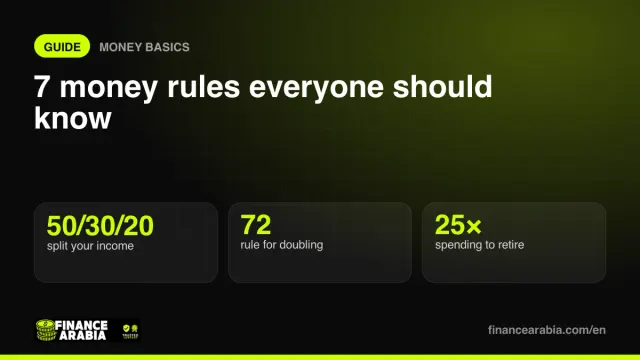
How to split your salary, how much rent to pay, how fast money doubles and how much you need to retire — seven rules of thumb that cover most money decisions.
Read🇰🇼 KWD
Official service steps and links, a first-month plan, living budgets and financial tools for Kuwait.
Kuwait · Get things done
This selection organises the guide; it does not determine eligibility. GCC nationals may have a separate route. Check nationality and residence/employment category on the authority’s page. Complete applications and submit documents with the linked provider.
Your checklist
A planning sequence, not a legal deadline or a promise of completion within a month. Start parallel requirements early. Check a task when completed or confirmed inapplicable. Only checklist progress is saved in this browser, separately for each country.
Open a service for steps, documents and links to continue.
7 services for this selection — sources reviewed:
New arrivals and residents changing their status.
Passport and entry permission, plus employment or relationship documents for the selected category.
A visit visa alone does not authorise employment. Do not apply Article 18 requirements to family or domestic-worker cases.
Citizens, GCC nationals and residents: choose the correct PACI category.
For residents: passport, recent photo and housing evidence as required by the category.
Registration deadlines and attachments depend on the residence category. Mobile ID activation does not replace civil registration.
Citizens and residents meeting the traffic eligibility rules for their category.
Learner permit, evidence of passing the tests and blood-group documentation per the service page.
This covers a new private licence. Foreign or GCC licence exchange is a separate route with its own eligibility.
Applicants meeting the chosen account conditions; current, savings and salary accounts differ.
Identity evidence, any income or employment documents requested by the bank, and customer-information forms.
NBK and Boubyan are starting examples, not rankings or approval guarantees. An opening deposit is not necessarily a fee.
Founders eligible for the nationality, activity and legal form selected.
Founder and activity details, proposed name, and company and premises documents for the selected request.
Company formation and activity licensing are separate stages. Residence alone does not authorise every activity or ownership structure.
Residents or sponsors completing category-specific health-cover requirements.
Resident and sponsor details, plus work-permit or visa information required by the service.
Medical screening and health cover are different transactions. Check your available treatment coverage separately.
Tenants or owners depending on the utility responsibility in their contract.
Lease, identity and property/meter details required by the ministry.
Rent may include some utilities. Confirm contractual responsibility before paying or registering a meter.
Links go to government authorities or providers themselves. Some begin with a guide leading to an application or require sign-in. Final fees, appointments and attachments are set by the provider for your category and may vary by city or emirate.
Plan before you move
Enter housing quotes and your own estimates; this is your budget, not a survey of city prices. Create a plan for each city to compare here. Figures last only while this page is open and are not saved in browser storage or sent to our server.
For annual tuition or insurance, for example; divided by 12 for planning. Do not enter the same cost as both monthly and annual.
Start with personal-loan affordability, then set aside money for emergencies.
See where your salary goes with the 50/30/20 rule
Monthly installment, total interest and flat vs reducing rate
How much to save each month to hit your target on time
AED, SAR & QAR to INR, PKR, PHP, EGP and 25+ currencies
Choose KWD in calculators with a currency selector. Check the selected jurisdiction in tools that use local rules.
General financial reading, not a guide to this country’s rules.
How to split your salary, how much rent to pay, how fast money doubles and how much you need to retire — seven rules of thumb that cover most money decisions.
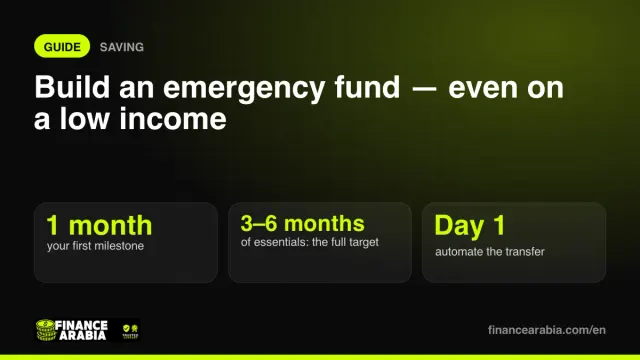
ReadThree to six months of expenses sounds impossible on a tight budget. Here's how to get there step by step — starting with a first milestone you can actually reach.
ReadID, residence, driving, banking and business steps, first-month plans and living budgets for six Gulf countries.
Practical journeys to buy a home, reduce debt, build a buffer and start investing.
Compare account and debit-card terms, transfer quotes and card costs.